Meridian MCP is live! Connect your deal sourcing data directly to Claude
Learn More
Meridian raises $7M seed round led by 645 Ventures.
Read More

Meridian's new MCP integration connects Claude and ChatGPT directly to your deal data, so your team can query deals, companies, people, meetings, and documents in plain language without ever opening Meridian. Your existing permissions stay intact, giving your firm a secure, read-only window into deal data without copying and pasting context into AI tools.
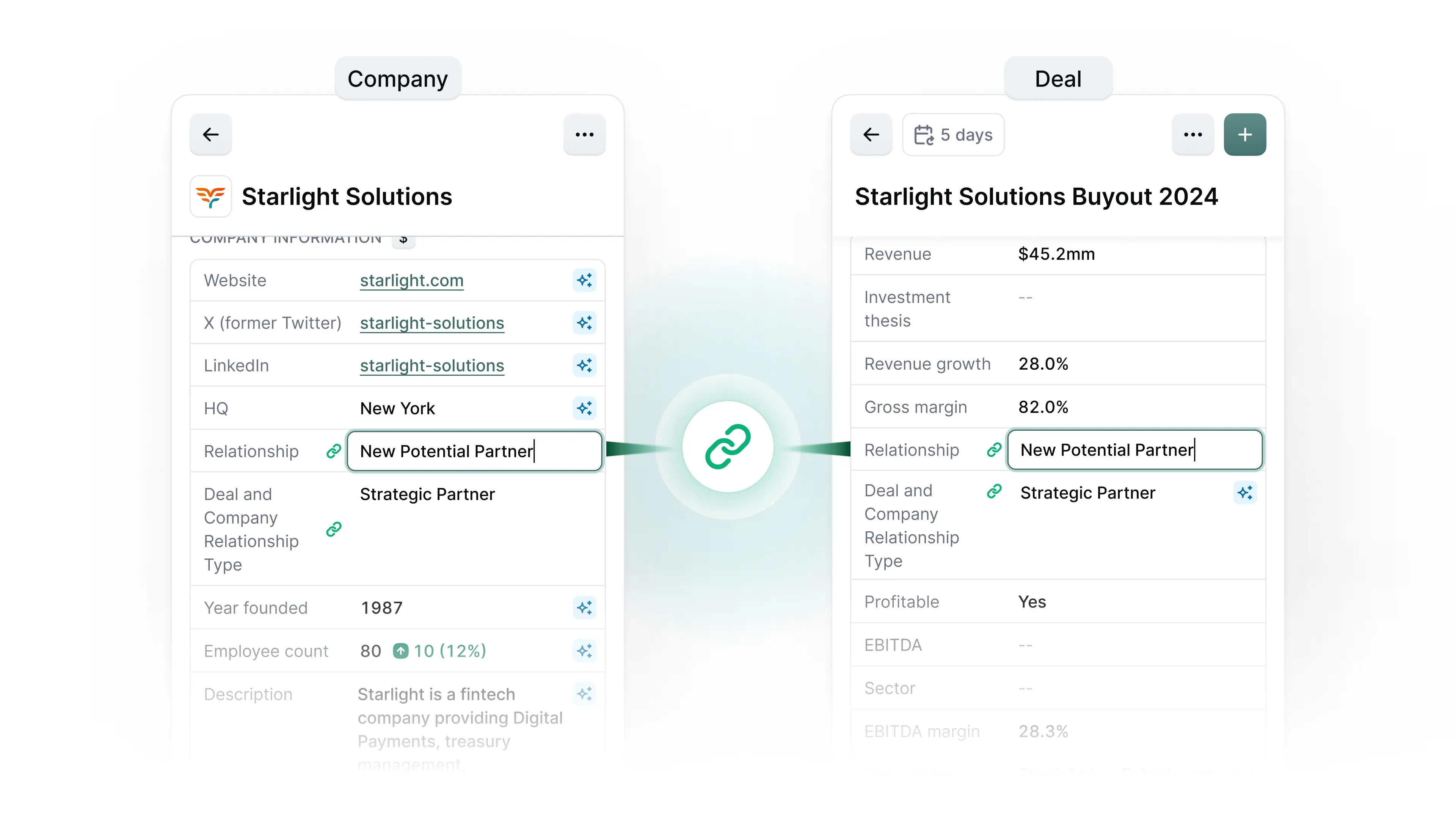
Choose any fields you want to share between a company and its active deal, and editing one instantly updates the other. Shared fields are flagged with a green link icon and tooltip so the connection is always visible. For a cleaner view, shared fields can be hidden from the Company sideblade to avoid duplication without losing the data.
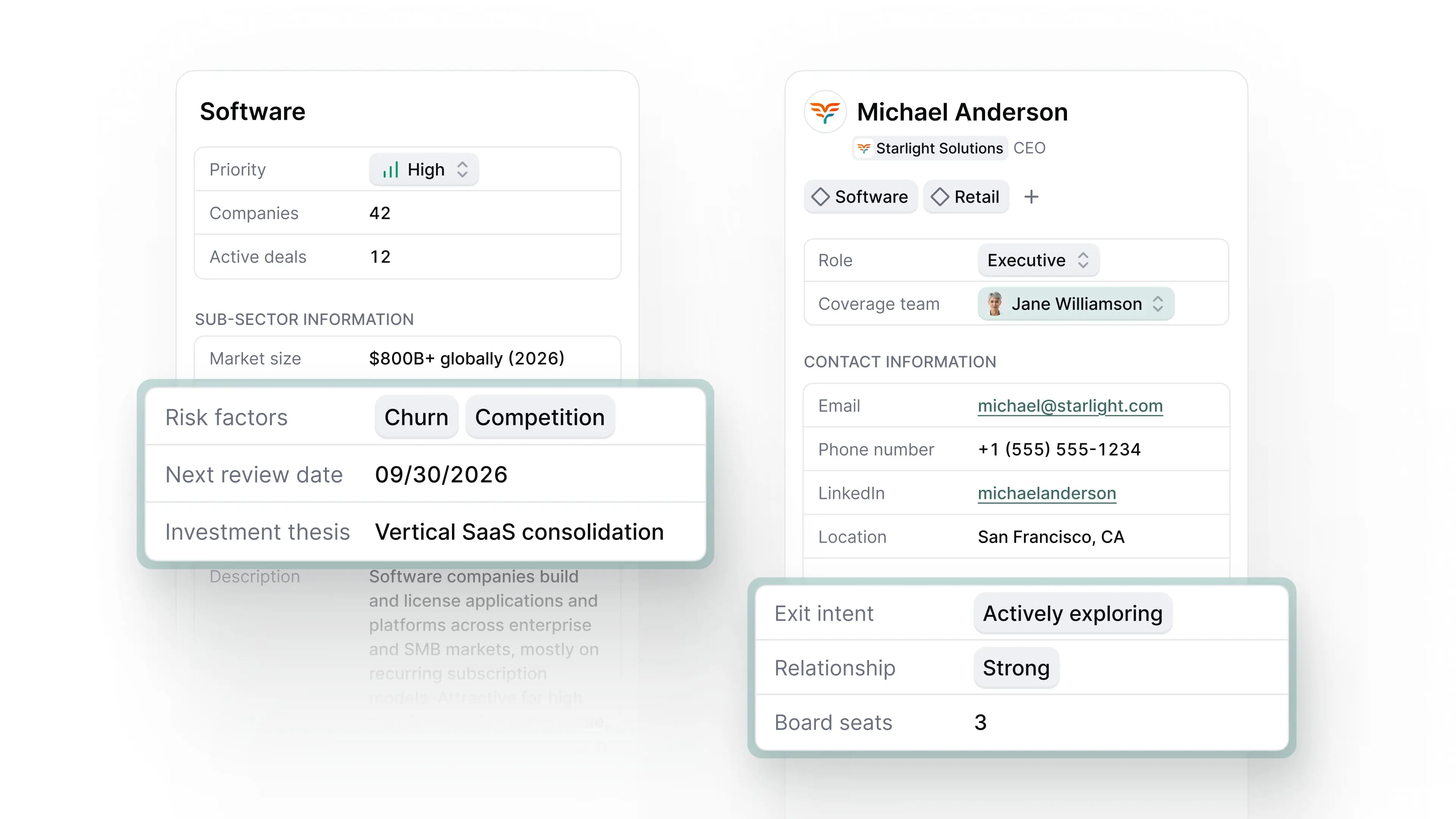
The custom attribute fields you already use on Companies and Deals now extend to Person and Sourcing Theme records. Track any firm-specific data point exactly where you need it, without workarounds or missing context across your coverage universe.
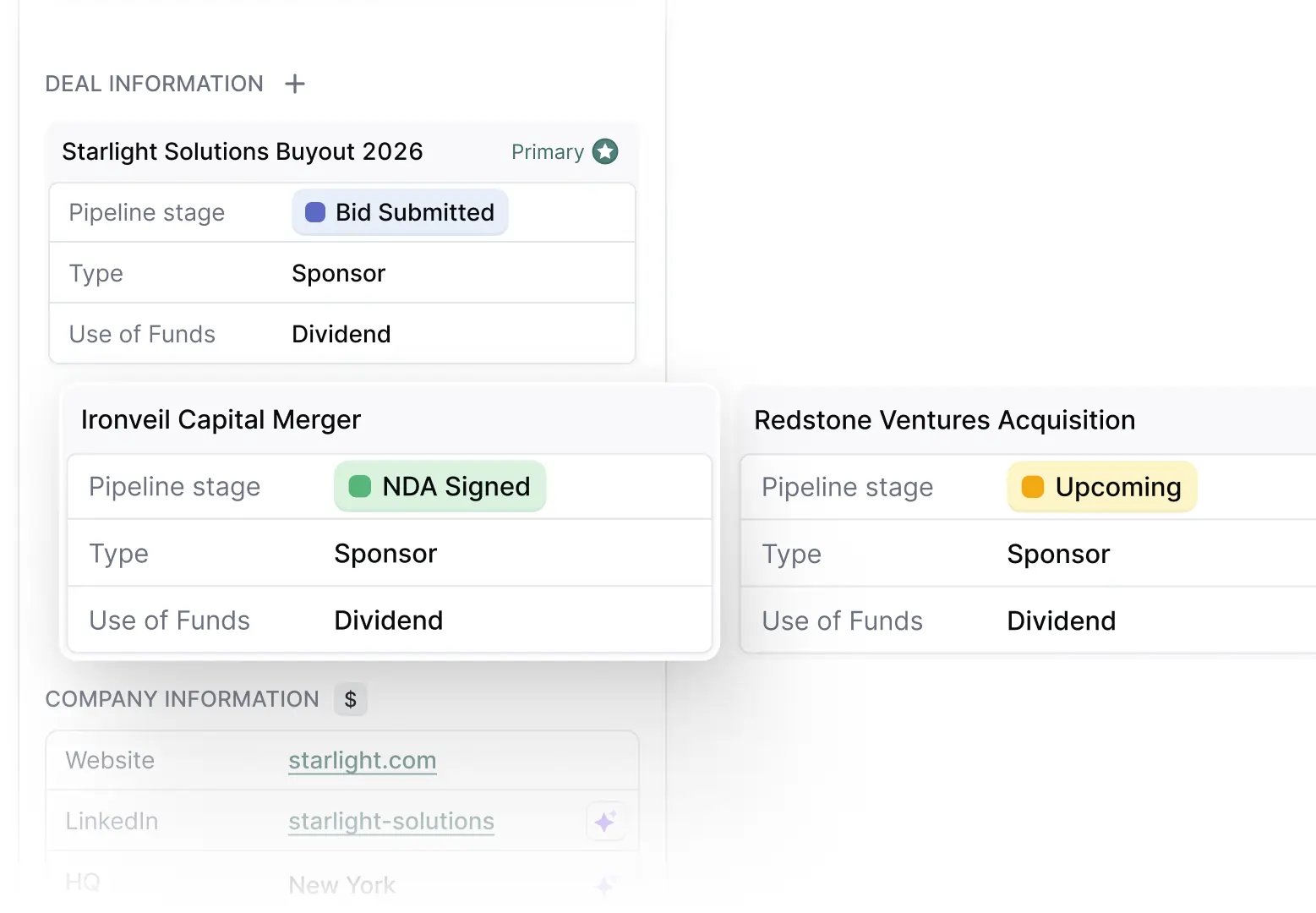
One company, many deals, no problem. Meridian now supports up to 20 active deals on a single company record, so teams can track parallel opportunities without orphaning deals or disrupting company-level views, automations, and reports.
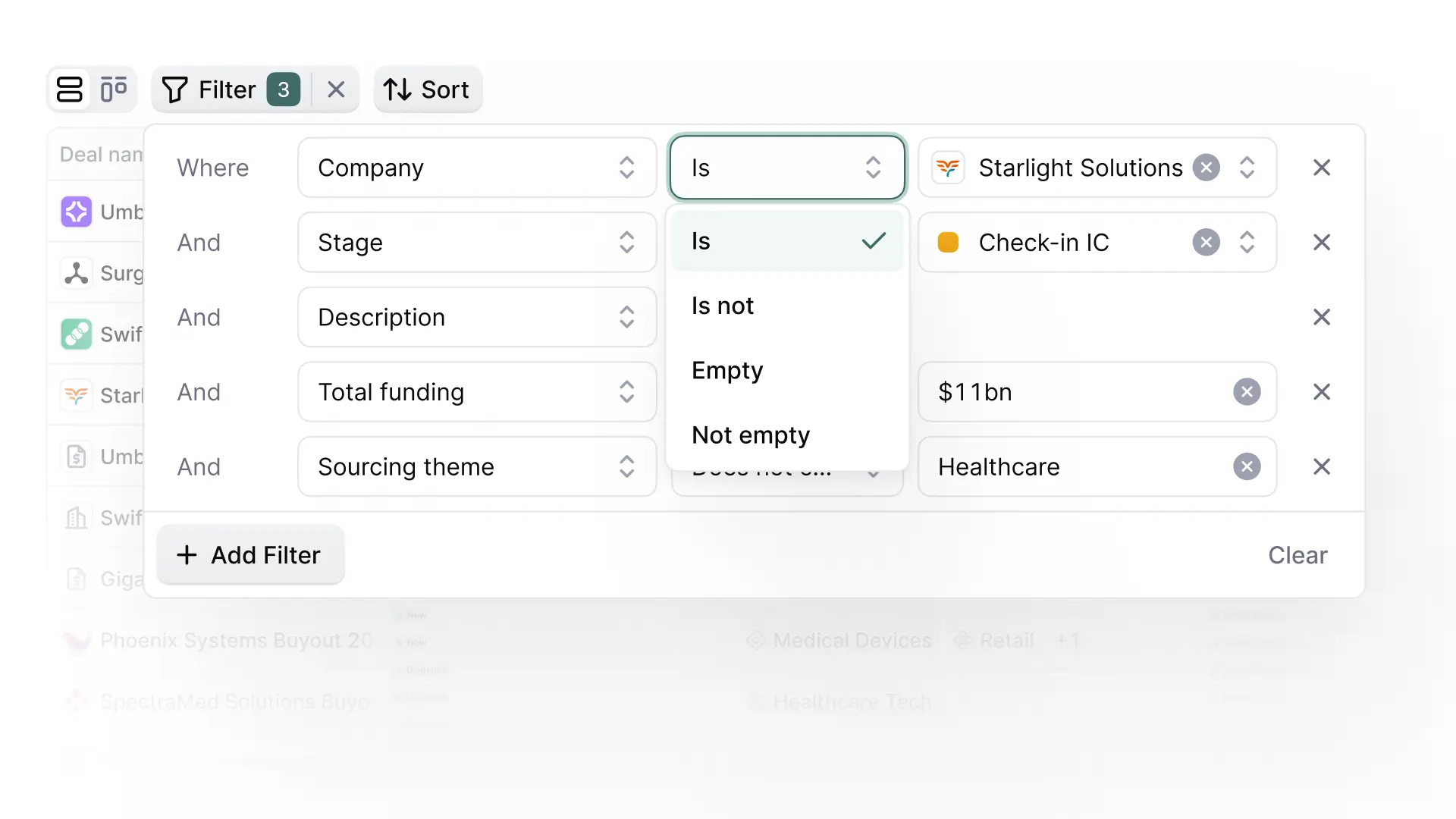
The new advanced filter menu on Deal Pipeline, Companies, People, and Reports tables lets you stack up to 20 filter rules joined by AND/OR logic. Choose any attribute including hidden columns, and apply operators tailored to each field type for precise, multi-condition queries across your entire dataset.
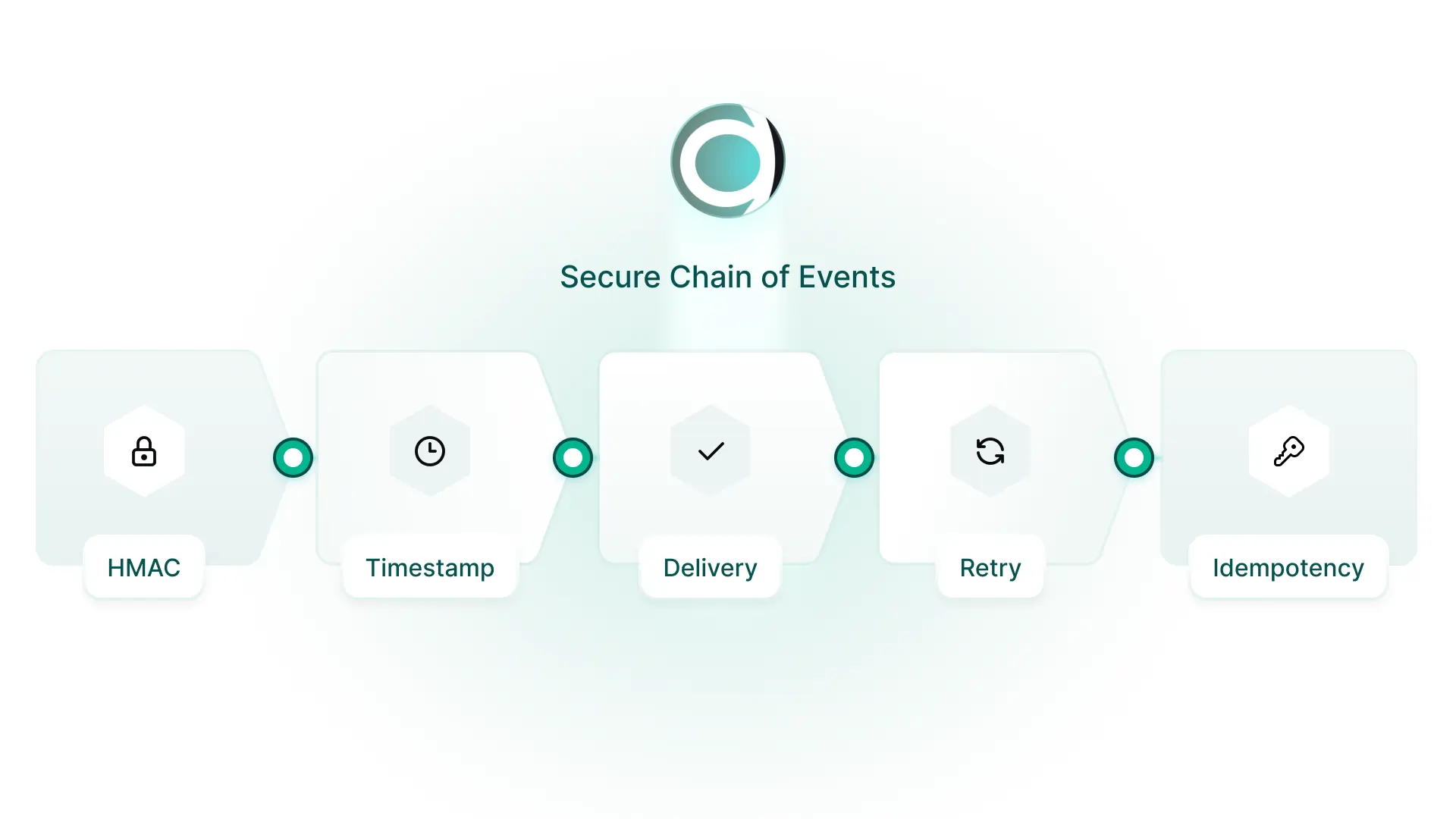
Meridian's new webhook system pushes real-time notifications to your connected tools the moment a Company or People record is created, updated, or deleted. Your wider workflow stack stays in lockstep with Meridian without polling or manual syncing.
Scout's deal data insights can now be copied and pasted directly into Word, Excel, Google Docs, and Google Sheets with formatting intact. Whether you're preparing for an IC meeting or sharing pipeline visibility across the team, getting Scout's output into the tools you already use is now seamless.
.webp)
Tracking relationship status across your coverage universe just got more granular. People and Companies tables now include three new date columns (Last Meeting, Last Outbound Email, and Last Inbound Email), giving you a clear, at-a-glance view of recent communication. Combine with multi-column sorting to surface the contacts that need attention fastest.
.webp)